


Why Rest Is Productive

Why Rest is Productive: Embracing the Power of Doing Nothing

In our culture that glorifies nonstop hustle, to-do lists, and 24/7 connectivity, rest might feel like a luxury—or worse, lazy. But what if pausing and doing nothing is actually one of the smartest productivity moves you can make? Redefining Productivity What if rest isn’t a break from productivity but part of it? Far from being indulgent, intentional downtime fuels creativity, sharpens your mind, and sets the stage for deeper presence and effectiveness. Think of rest as a power-up—a necessary recharge that boosts your capacity to thrive. The Science (and Stories) Behind the Pause Your brain never really turns off. Even when you’re zoning out, your Default Mode Network (DMN) kicks into gear—processing, problem-solving, and sparking insights behind the scenes. Ever had a breakthrough in the shower or during a lazy walk? That’s your brain in action. Rest is a creative springboard. Letting your thoughts wander—not obsessively focusing—helps foster innovation. Boredom, believe it or not, can stir original thinking. Even rest needs structure. Just like athletes schedule recovery, building rest into your day—strategically—improves mental clarity and emotional balance. Quiet the internal pressure. Constant hustle and productivity can silently morph into toxic productivity, where self-worth ties into output—and burnout follows. Purposeful rest is how you break the cycle. What Real People Say Consider this personal insight: one high-achiever shared how guilt around doing nothing used to dominate them—but reframing rest as “productive recovery” changed everything. By taking a cozy mental-health day and doing only things that brought joy, they returned to work energised and proud of their output. Simple, Effective Ways to Rest the Right Way Schedule your rest. Literally mark “think time” or “do nothing” in your calendar—even a short block of unstructured time can be a game-changer. Choose active, mindful idleness. Go for a slow walk, sit in nature, sip a hot drink—without devices, agendas, or expectations. Do less, think more. Give yourself permission to step back—even leaders like Einstein and Bill Gates intentionally left room for reflection. Shift how you define productivity. Does it always have to look like checking boxes? Reframe it to include mental well-being, creativity, and deep connection. Connect with others—doing nothing together. Unschedule time with friends or family without structure. These moments reduce stress and deepen bonds. Final Thoughts At MyTommy, we believe real productivity isn’t about cramming more into your day—it’s about making your mindful presence more meaningful. Next time you’re tempted to feel guilty for slowing down—remember: rest isn’t just part of the process, it empowers the process. Sometimes, doing nothing is not just okay—it’s essential.

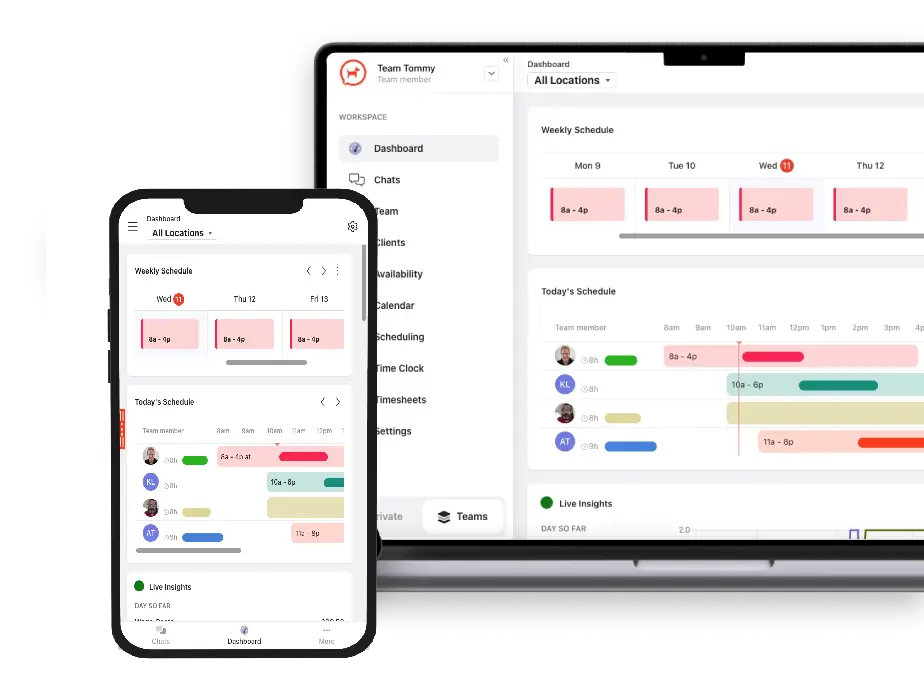
demo-screen-new

13 Best Facebook Workplace Alternatives for Shift-Based Workplaces (2025 Update)

Facebook Workplace is shutting down—and that has left thousands of businesses scrambling to find a reliable, user-friendly, and cost-effective alternative to keep their teams connected and informed. Whether you used it for announcements, culture updates, shift coordination, or internal communications, the clock is ticking. Meta has officially announced Workplace will be retired by 2026, with services winding down over the next year. For shift-based businesses—especially in hospitality, aged care, healthcare, and retail—this isn’t just an inconvenience. It’s a chance to upgrade to a solution that was built with the realities of frontline work in mind. In this guide, we’ve reviewed 13 of the best Facebook Workplace alternatives and why Tommy is the #1 choice for shift-based teams looking to maintain smooth communication, improve scheduling, and enhance work-life harmony. Why Businesses Are Looking for Facebook Workplace Alternatives While Facebook Workplace offered a familiar social feed-style interface, it wasn’t purpose-built for frontline teams. Its shutdown is a signal to reassess whether your internal comms and shift tools actually support productivity and wellbeing. Top reasons to switch: It was built for desk-based users, not frontline staff No shift scheduling, time clocking, or wellness features Data privacy concerns for some organizations No longer actively supported after 2025 Now is the perfect time to adopt a tool designed for the unique challenges of managing a flexible, distributed, and shift-based workforce. 🏆 Top Pick for Shift Workplaces: Tommy Tommy is an all-in-one communication, scheduling, and wellbeing platform created specifically for shift-based workplaces. Unlike generic tools, Tommy blends team messaging, onboarding, shift notifications, time tracking, and wellness nudges into a single app employees actually want to use. Why Tommy is the best Workplace alternative for shift teams:   ✅ Built for hospitality, aged care, NDIS, retail, and shift-based environments ✅ Combines smart scheduling, time clocking, and messaging in one ✅ Unique Work-Life Harmony score to prevent burnout and reduce absenteeism ✅ Employees can clock in, read team updates, and complete onboarding in one place ✅ Works on mobile-first and low-bandwidth connections ✅ Free trial, no credit card required   12 More Facebook Workplace Alternatives to Consider While Tommy is ideal for shift-based and frontline businesses, here are other options suited to various teams: 1. Slack A flexible team chat tool with tons of integrations, but not ideal for scheduling or mobile-first shift workers. 2. Microsoft Teams A strong enterprise-grade option if you’re already deep in the Microsoft 365 ecosystem. Not purpose-built for shift workers. 3. Zoom Team Chat Mostly known for meetings, Zoom’s chat feature has grown in functionality but lacks frontline scheduling features. 4. Workvivo An employee engagement platform focused on internal comms and culture—less useful for rosters and shift management. 5. Yammer (Viva Engage) Microsoft’s legacy social platform. Still around, but many organisations are sunsetting it too. 6. Connecteam An app targeting deskless workers with features for scheduling, task management, and HR tools. Can be overwhelming for smaller teams. 7. Deputy Popular for time tracking and scheduling, but lacks true team communication and employee wellbeing tools. 8. Blink A simple employee app for internal communication, geared toward large distributed organisations. 9. Beekeeper A secure chat platform tailored for non-desk employees. Less robust on scheduling or onboarding. 10. Zoho Cliq A free alternative from Zoho’s suite, best for internal chat if you’re already using other Zoho tools. 11. Crew (by Square) Designed for shift workers, but now folded into the Square product ecosystem. May lack flexibility for non-Square users. 12. Basecamp A project management tool with internal chat features. More for desk teams than field workers. What to Look for in a Facebook Workplace Alternative? When replacing Workplace—especially for shift-driven teams—your new platform should: Be mobile-first and easy for non-desk workers to use Support automated shift reminders, time clocking, and announcements Help you build a positive, sustainable work culture Ensure data privacy and control for your org Scale with you as you grow and shift across sectors   Final Thoughts: Don’t Just Replace Workplace—Upgrade It With the sunset of Facebook Workplace, businesses that rely on shift workers have a rare opportunity to pick a solution that does more than just keep people chatting. Tommy goes beyond communication—it promotes balance, wellbeing, and smarter shift coordination that reduces burnout and builds happier, more reliable teams. Before you choose, ask yourself: Will this tool make work better for my team—or just louder? Try Tommy free for 14 days and see why it’s the top Workplace alternative for shift-based teams. 👉 Get started with Tommy References   Meta confirms Workplace is shutting down Why work-life harmony matters in shift work

The Must Haves in Your Resume for 2022

The Must Haves In Your Resume 2025

According to Dr. Arnsten, professor in Neuroscience at Yale University, people have a shorter attention span due to stress post pandemic. Hence, managers have a shorter attention span in reading piles of resumes on their computers. Not to mention the stricter guidelines that the company might have set before recruitment, picking only the best among the best.Applying for a new job became more difficult during these times. You have little time or opportunity to make it to the cut, or else your resume would end up in the recycle folders.To catch the attention of hiring managers, you must be able to come up with a superb resume that contains all the qualities they are looking for. Getting interested? Don’t go away and keep reading as we reveal the must-haves of a standout resume. Essential Social Skills That Must Be Added to Your Resume Social skills or Interpersonal skills allow us to communicate and interact with other people efficiently. These skills involve those non-verbal aspects such as emotional intelligence and active listening.Social skills are the first must-haves in your resume. Don’t forget to include the social skills you are good at, so hiring managers would definitely see you as a strong candidate for their job position.Whether you are talking to a potential client, mingling with your officemate, or understanding people, these interpersonal skills will help you ace any battle involving people. Here are some of the skills that you may pick or decide on your resume: 1. Empathy Have you once sympathized with your friend who wasn’t able to land on his first job yet? Are you compassionate with the people around you? If yes, start writing this trait in your resume because you might be the one that the manager is looking for.Empathetic people are needed in the office because they have the sincerest care that relieves challenging times. Compassionate people are most likely to have the potential to become good leaders because they understand and interpret people’s emotions and harness those feelings to create a tornado of possibilities. 2. Active Listening Active listening can be viewed by many applicants as an unneeded skill because everyone can listen; however, not everyone is willing to listen. Active listening involves your full attention to the speaker for you to show empathy.In the workplace, active listeners play a vital role in hearing out instructions from the manager and interpreting them to perform practical actions. For example, suppose the boss says that the company will undergo an economic recession. In that case, active listeners won’t just hear the report but think of creative solutions that will help the company.Remember that the first step in finding a solution is identifying the main problem, but you can’t if you don’t know how to actively listen. 3. Emotional Intelligence If you are the type of person who can manage and understand emotions very well, you can be regarded as emotionally intelligent.People that can work on their emotions are linked to good leadership skills. The more you know, the more you can create solutions that will dissipate the stress in the workplace.Hiring managers are looking for emotionally intelligent individuals because they can manage stress on their own. Stress can negatively impact work ethics, but emotionally intelligent individuals can remain intact to their work. 4. Conflict Resolution Conflict resolution is perhaps one of the most important interpersonal skills because it allows you to solve problems in the office in your own way. Conflict is an inevitable incident in the workplace that may cause internal affairs. Hence, conflict solvers are highly demanded during the hiring process. Conflict may affect productivity in the office using unsolicited information-sharing like gossips and scandals. 5. Writing Communication Social skills involve all types of skills involving interaction with others. Writing communication involves business writing, client persuasion, and report making.If you are good at conveying messages through writing, then this is another add-on to your resume. Hiring managers like people who can effectively write, given that this pandemic has only allowed virtual interaction. Virtual Work Skills That Must Be Added to Your Resume The pandemic has caused companies to shift into a skeletal work operation. Some people who are not in the office are either tasked to do virtual works or nothing at all. Hence if you are applying for a job that does not require you to attend the physical office, here are some of the skills that you might add to your resume: Self-Motivation. Working in a virtual office has a lot of distractions. Assuming that you have no personal office area in your house, the distraction of social media, the internet, movies, and sleeping are always on the side. Often, the focus is compromised since the things and people around you keep battling on your professional mindset. Hence, having a solid motivation could help you fight these disturbances. Adaptability. When your internet was suddenly lost, you will find a way to connect to your laptop with your mobile data; that is adaptability. During virtual set-up, all the free things offered in the offices should be facilitated by yourself. Hence, you need to be adaptable to deliver your work without hassle. If you believe that you can adapt to this working scenario, add this to your resume Digital Competency. Don’t know how to enter a video conference? You should be agile in learning how to utilize virtual applications to perform your work effectively. Take time to watch tutorials online in navigating these applications. Hiring managers would love to hire someone keen on learning new tools. What Teamwork Skills Are Essential? To be able to play well in a team is a skill developed through constant interaction. A strong team leads to a successful goal. Hiring managers would want to recruit applicants who are team players. Here are the skills that you must have so the HR manager believes you have what it takes: 1. Reliability Reliability is perhaps the most essential teamwork skill. Being reliable roots from the trust and companionship formed when

What Does Employee Engagement Have To Do With Productivity?

What Does Employee Engagement Have To Do With Productivity?

Workforce engagement creates a work environment that is sure to drive any business toward consistent success. When your employees and co-workers engage and commit to their work, you’ll notice that your business grows stronger. Your business will experience an increase in sales volume, which will lead to higher customer satisfaction rates. Sounds pretty good, right? Engaged employees are even less likely to leave their jobs, which results in less turnover and associated costs. However, the most significant advantage of employee engagement is consistently high productivity levels. So, do you want to know more about how employee engagement affects productivity? Well, in today’s guide, we’ll discuss just that! We’ll also discuss the strategies for productivity you should know about, with a particular focus on increasing employee productivity. What Is Employee Engagement? We’ll start by discussing what employee engagement is not. Employee engagement isn’t the same as employee happiness. A happy employee may enjoy the nature or perks of a job, but that doesn’t mean they will commit to a productive work ethic. Like employee happiness, employee satisfaction is not the same as employee engagement. When your employees are content with their pay and work schedule, that is merely job satisfaction. Employee engagement goes far beyond satisfaction. So, what is employee engagement? Employee engagement refers to the emotional commitment an employee has to your business, its values, and its goals. In other words, your employees actively care about the work they produce and the company they produce it for. Source: Reveal by Hiring Indicators Engaged employees don’t just work for their wages, incentives, or potential promotions. They work for the success of the business.  What Effect Does Employee Engagement Have on Productivity? Now, let’s get down to business: what effect does employee engagement have on staff productivity? Below, we’ve explored how employee engagement affects an employee’s performance in such a way that increases productivity. Improved Customer Experiences 🙋 Because engaged employees are more productive at work, they are able to meet and exceed the expectations you place on them. And, of course, every business expects their employees to strive to create better experiences for their customers. As a result, your employees will commit to facilitating exceptional customer experiences consistently. Why? Because engaged employees want to contribute to the success and expansion of the business. Source: ConantLeadership What’s more, because engaged employees aim to improve the customer’s experience, they inspire customer loyalty. In fact, studies show that companies that provide employee engagement programs experience 233% greater customer loyalty. Reduced Absenteeism 🤢 Engaged employees care about how their work affects business outcomes. For that reason, employees with high engagement will actively avoid absenteeism as much as possible. After all, your employees can’t be productive if they aren’t actually at work. Source: Forbes According to Forbes, disengaged employees have 37% higher absenteeism than engaged employees. Higher Employee Retention 🧑‍💼 When experienced employees leave the business, your team loses valuable expertise and skill sets. This is a gap that every employer has to fill with new recruits. The downside is that training new hires is that it’s a substantial investment of time, energy, and resources. Luckily, engaged and satisfied employees are less likely to leave their jobs because of their commitment to their objectives. In fact, engaged employees are 87% less likely to leave their organizations. Thus, employee engagement will lead to higher employee retention rates. Increased Profitability 📈 Engaged employees tend to outperform co-workers who don’t share their enthusiasm.  Source: Wellable  Engaged employees offer more innovative, creative solutions when it comes to optimized business operations. What’s more, they are more efficient and possess essential soft skills like time management and effective communication. As a result, highly engaged workforces are 21% more profitable than those comprised of disengaged employees. Increased Productivity ⬆️ To summarize the benefits mentioned above, the effect that employee engagement has on productivity is incredibly positive. Engaged employees will strive to deliver high-quality work on time consistently and go the extra mile where they can. A report from Gallup shows that organizations with engaged workforces celebrate 17% higher productivity levels than organizations with disengaged workforces. Ways to Boost Employee Engagement To access the advantages above, you’ll need to improve employee engagement. This means that you need to work toward creating better employee experiences. As a leader, it’s your responsibility to ensure your employees have the best experiences working for your business. So, you need to come up with an action plan that ensures your team members feel appreciated, valued, and happy. This is how you’ll inspire them to go the extra mile. Not sure how to go about that? Don’t worry – we’ve explored some of the best employee engagement strategies below. Offer Flexibility 😌 Offering flexible work schedules enables your employees to achieve a better work-life balance. When your employees can achieve this balance, it’s easier to accomplish employee satisfaction. What’s more, 55% of employees find that flexible work schedules are effective at reducing stress levels. As a result, when you offer your employees flexibility, they will feel less stressed, allowing them to engage more with their work. Recognize & Reward 🎁 When you reward employees who go above and beyond to meet their targets, you’ll incentivize them to exceed their goals consistently. Source: Loyola eCommons You can reward your employees through cash bonuses or something as simple as gift cards. By rewarding your employees, you will demonstrate your appreciation for them.  As a result, you’ll encourage your employees to remain engaged throughout their careers. As for recognition, you can reach out to them personally to let them know that you’ve noticed and valued their hard work. You can reach out to your employees through social media or via messaging software. However, you reach out, recognizing your employees’ commitment to the business is a great way to keep them engaged. Provide Growth Opportunities ↗️ You should implement training programs and career advancement opportunities for your employees. By enabling your employees to grow and develop as professionals, you’ll increase their engagement and

5 Benefits of Improved Workforce Management

5 Benefits of Improved Workforce Management

Workforce management (WFM) is the process of optimizing employees’ productivity. Put differently, workforce management solutions consist of workforce management software and services that allow business to optimize their operations. An effective workforce management system will allow employers to allocate resources, forecast workloads, and avoid compliance risks effectively. The WFM system also involves tracking the employees’ schedules and performances. You should always strive to enhance your workforce management. Why? Because the benefits of using WFM software will see your business’s operations run much more smoothly. Are you ready to learn more about how workforce management works to improve your organization? Let’s take a closer look! The Three-Legged Stool of Workforce Management To elevate and align the Workforce Management at your organization, you should apply the PPT framework. The PPT framework refers to the People, Process, and Technology framework. This framework puts forth the idea that employees, processes, and technologies must work in harmony with each other. When harmonized, the PPT framework will allow for successful business operations that celebrate efficiency and effectiveness. The three-legged stool visual captures the notion of the PPT framework perfectly. If one leg is taller, shorter, or simply non-existent, the entire stool will destabilize. So, how does the PPT framework affect workforce management? Well, simply, you can’t have successful workforce management with the PPT framework. If your employees lack proper training and process expertise, your business operations will fail altogether. If your business’s processes/workflows become inconsistent, managing productivity and expenses will prove extremely challenging. Lastly, if you lack the proper technologies 💻, you and your team can’t conduct secure business operations at all. The PPT framework will serve as your guide when improving your workforce management techniques. The Benefits of Workforce Management In the United States, especially, workforce management has become an incredibly popular tool. According to Gitnux’s 2024 Market Data Report, 37% of US businesses use time and attendance solutions. Time and attendance solutions are crucial to workforce management systems. Source: Gitnux What’s more, about 64% of US organizations use human resource software. Again, this is also an integral part of workforce management. So, as you can see, WFM software is becoming a must-have for many businesses and organizations. Let’s explore this further. Below, you’ll find some of the most impactful advantages of using WFM techniques. 1. Real-Time Performance Analysis 🎭 Because of WFM tools, you don’t need to wait a long time to evaluate your employees’ performance. You’ll have real-time reporting about your employees’ performances, and you can monitor your KPIs too. With the data you are getting, you’ll know what is going well and what needs improvement. In other words, WFM tools will help you identify trends in your employees’ performances. As a result, you’ll find it easier to inform training programs and improve productivity altogether. What’s more, by identifying areas of improvement, you will reduce wasted time and better allocate your resources. 2. Reduced Labor Costs 💰 WFM allows you to schedule your employees’ shifts in such a way that reduces labor costs significantly. ‘How’, you may ask. WFM tools enable employers to minimize overtime, handle understaffing, and manage absences. Ultimately, WFM will ensure that you maintain staff coverage. Thus, you’ll always offer excellent customer service while keeping labor costs down ⬇️. Just think – when your business is understaffed, your existing employees have to work overtime, which results in costly wages. If you use WFM software that helps you distribute workloads optimally, costly wages aren’t an issue anymore. What’s more, when your employees feel overworked, they are much more likely to request time off. Managing these absences can prove a time-consuming task without workforce software. And, as you know, time is money. WFM tools can streamline this process through automation, resulting in fewer errors as an added bonus. 3. Optimized Productivity ↗️ Most of WFM involves scheduling. By aligning your employees’ schedules with your business’s needs, you can enhance the quality and efficiency of your services. Source: Federal Reserve Board WFM can help you create this alignment. WFM will forecast labor demands via historical data and match an employee’s skill sets with upcoming tasks.  After having done that, your WFM software will adjust your employees’ schedules accordingly. As a result, you and your business will experience an increase in productivity and customer satisfaction. Best of all, if you incorporate your employees’ preferences into the scheduling process, you’ll find that your employees feel more actively involved and engaged in the workforce planning process. 4. Simplified Time & Attendance Tracking ⌛ Time and attendance tracking is incredibly important for any business owner. Simply put, you can’t have accurate payroll, employee benefits, or access to attendance patterns without it. Workforce management tools will enable you to accurately log your employees’ work hours, all while fostering a seamless integration with payroll systems. What’s more, workforce management software won’t just help you monitor your employees’ work hours. WFM will also simplify overtime, break regulations, and even paid absences. Furthermore, workforce management tools will ensure precise compensation and compliance with your business’s policies. Overall, with the right WFM tools, you can monitor attendance records and address any issues or trends you notice. As a result, you can better support your employees while you ensure your business runs efficiently. 5. Mitigated Risks ❌ Sharing sensitive information that relates to your employees isn’t something you should approach lightly. For that reason, workforce software must safeguard large quantities of data. Source: Tada WFM solutions offer integrity and protection of your workforce and payroll data. How? By investing in infrastructure with measurable uptime and service level agreements, WFM ensures your employee’s safety. In other words, workforce management will help give you peace of mind that all your information and data are safe and secure. Workforce Management: Final Thoughts By improving your workforce management processes and techniques, you’ll maintain and enhance the financial health of your business. You’ll also increase your employees’ engagement and productivity, which will then positively impact your customer’s experience with your business. Ultimately, the benefits of workforce management

Reasons Why Touchless Technology

Reasons Why Touchless Technology and Bring Your Own Device (BYOD) Bring a Better Workplace

We pay more attention than ever before to the surfaces around us, especially since the COVID-19 pandemic. Doorknobs. Countertops. The tools on our desks or in our conference rooms. You name it, we are way more cautious about it nowadays. In the modern era, a positive work environment doesn’t just mean preventing workplace injuries or protecting our team member’s mental health 🧠. It also means making it so that technology in the workplace doesn’t contribute to the spread of diseases. That’s where touchless technology and the bring your own device (BYOD) program enters the picture. In today’s guide, we’ll discuss the benefits of touchless technology and BYOD so that you can create a safer office environment. What Is Touchless Technology? 📱 While we don’t need to tell you what touchless technology is, it’s good to know how you can implement it in your office spaces. Source: McKinsey & Company Let’s take a look at some of the most common forms of touchless technology. Gesture Recognition 👋: You simply just need to make a gesture to control or interact with devices. It’s completely touch-free and a classic example is in the bathroom. Think touchless hand dryers. Touchless Sensing 🚪: This is when a sensor detects the presence or motion of a person. And you’ve definitely encountered it if you’ve ever you’ve walked through an automatic door. Voice Recognition 🗣️: All you need to do here is speak to a device to interact with it. Just think of all of the times Siri has said “Sorry I didn’t understand that” when you haven’t actually been talking to it. Facial Recognition 🙋: Even more convenient than voice recognition, facial recognition just needs to clearly see your face. Think of the newer iPhone models that support Face ID these days. Personal Devices 🖥️: Yes, this method is more a not-so-touchless form of technology. But believe it or not, it still counts. Anything that works by responding to the commands of your personal devices still helps you avoid touching public surfaces. So, essentially, you’re touching your own tech to avoid touching public tech. The impact of this technology completely removes the need for physical touch when you interact with a workplace device. The result – better hygienic practices for you and your employees! What Is BYOD? 🧑‍💻 Let’s shift focus to BYOD. The bring-your-own-device policy allows you and your employees to bring personal devices to work. So, if you’d like to bring your own computers, tablets, smartphones, or USB drives to work, this policy is a game-changer. Source: Security Brief Australia In a lot of cases, the BYOD program has led to massive increases in productivity and morale. According to a study from Cybersecurity Insider, organizations that implemented the BYOD program experienced a 68% increase in employee productivity. But that’s not to say that the BYOD policy doesn’t have drawbacks. It does, and you need about them before you introduce the policy into your workspace. When left unaddressed, a personal device’s access to an organization’s network can leave said organization wide open to all sorts of nasty security risks. Don’t worry – there are ways around this. You need a BYOD security policy in place that informs and educates every team member on how to use the BYOD program without compromising the business’s data or networks. There are some elements you should always add to your BYOD security policies, including the following: The types of devices approved for use. Security and data ownership policies. The degree of IT support you’ll grant to the approved personal devices. When IT leaders decide how much support they can offer personal devices, they must make sure there is a balance between the organization’s security and your employees’ personal privacy. Treat it like a work-life balance but just for security protocols. Workplace Improvement: The Benefits of Touchless Tech & BYOD So, you know about the surface-level benefits of touchless tech and BYOD in that it’s great for preventing the spread of germs and diseases. But, did you know that there are other benefits too, like providing more opportunities for cost saving? Below, we’ve looked at some of the most useful advantages to touchless tech and BYOD in the workplace. BYOD Saves Money 💲 If you work with a large group of people, the cost of providing devices for everyone can add up quickly.  Also, not everyone on staff may be familiar with the tools you give, which can necessitate additional training resources and associated costs. Source: Training Magazine But if you implement a bring your own device policy, you can save money on: Investing in or leasing personal technology for each worker. Assistance in learning how to use novel tools. Employing hardware and computer technicians. Cisco’s Internet Business Solutions Group estimates that implementing a comprehensive BYOD program amounts to an annual savings of $3,150 per worker. Up-To-Date Technology 💻 Employees may neglect to update company-issued gadgets routinely. The worst part? Ignoring security upgrades may accidentally put everyone’s sensitive information at risk. Yet they are more likely to update their personal computers and other gadgets whenever new versions become available. Source: Okta It’s also financially impractical for a corporation to keep buying new equipment to accommodate the latest technological advancements. But you know how it is – when we want the latest iPhone or Samsung model for personal use, we are pretty quick to grab our credit cards. Just imagine the amount of money the company can save by letting their employees take care of their belongings under the BYOD program. Contactless Check-Ins Improve Everyone’s Health 🥼 Touchless check-in won’t just help your employees avoid the spread of germs; it will also help your visitors. Why? Because it reduces the likelihood that visitors will come into contact with germs by touching surfaces like door knobs and elevator buttons. All in all, touchless tech and BYOD make safe, hygienic visitor management much easier to put in place. Brand Establishment ↗️ As an expanding business, your brand’s identity means everything. What’s more,

Preparing-to-Work-Again-in-the-Amidst-of-the-COVID-19-Pandemic

Preparing to Work Again in the Amidst of the COVID-19 Pandemic

We can all agree that adapting to change isn’t always easy. The COVID-19 pandemic was one of the biggest changes the modern world has ever faced. Not only did the global population’s physical and mental health suffer, but so did our once-safe work environments. In other words, protecting workers and maintaining our employees’ well-being has never been more important than in the 2020s. On the bright side, returning to work amidst the pandemic taught many organizations how to implement workplace safety measures. In today’s guide, we want to re-emphasize those workplace safety tips. By the time you’ve finished reading this article, you’ll know how to help your business maintain its post-pandemic work strategies. Why You Should Maintain Your Workplace Safety Measures Although the COVID-19 restrictions have been lifted for some time now, COVID-19 is still dangerous. Michelle Williams, Dean of the Faculty at Harvard TH Chan School of Public Health, sums it up perfectly: “Of course, the virus is not done with us, and what we really need to do is make sure that policymakers understand that we’re continuing to see new variants.” So, what you should take away from this statement is that safety in the workplace is just as important as it was when we first returned to the workplace. Making your work area safe won’t just prevent injuries and illnesses either. By creating a safe workplace, you will improve your employees’ engagement. Source: Engage for Success After all, how can your employees engage with their work if they don’t feel like you value their safety? What’s more, employee engagement has its own perks. Just look at this quote from Gallup’s State of the American Workplace report: “Employees who are engaged are more likely to stay with their organization, reducing overall turnover and the costs associated with it.” What this means is that employee engagement is crucial for employee retention. Ultimately, fostering a workplace safety culture is of monumental importance, pandemic or not. Tips To Help You Protect Your Employees’ Wellbeing At Work The return to the office represented the return to safety and normalcy (whatever that is). We want you and your employees to enjoy that safety indefinitely. For that reason, we’ve provided you with some tips to help you create a happier, healthier, and – above – all safer workplace. Install Hand Sanitizer Dispensers 🧼 Hand sanitizer is an effective way to stop a disease in its tracks. You should place dispensers for hand sanitizer around the office. You should also place them in common areas like the kitchen, outside the elevator, inside the doors, and so on. Put up signs to let people know where to find the dispensers and encourage everyone to use them. Provide Personal Protective Equipment (PPE) ⛑️ PPE is the equipment that will protect your employees from health and safety risks at work. During the pandemic, we all had to get familiar with PPE, such as face masks and clean gloves. And while you should still provide such equipment, PPE covers more than just COVID-related protective measures. For instance, goggles, high-visibility clothing, and safety helmets are all forms of PPE. Of course, depending on the nature of your business operations and services, you won’t need certain forms of PPE. Needless to say, you won’t need to provide helmets to your employees if they work in an office all day. But, regardless of which PPE you provide your employees with, it’s important that you do it to prevent any workplace injuries or illnesses. You should also provide adequate training that shows your employees how to use the PPE provided.  Source: National Institutes of Health (NIH) After all, PPE is there to protect your employees, so they should know how to use it confidently, right?  Offer Health & Safety Training 🧑‍⚕️ As an employer, you’re no stranger to providing your employees with valuable resources. And health and safety training is one resource that you should always provide. Source: National Institutes of Health (NIH) Here is a list of some courses that you should offer and encourage your employees to participate in: First aid training ➕. Mental health first aid training. Electrical safety training ⚡. Computer security training. Asbestos awareness training. Manual handling training. Fire safety training 🔥. Risk assessment training. You should also take part in these courses. You know what they say, lead by example. When you and your employees have the appropriate training, you’ll inspire confidence. Not only will everyone feel safer at work, but in the case of a crisis, you’ll all have the knowledge to handle it effectively. You never know; you could save one of your employees’ lives with this training. Promote Positive Mental Health 🧠 Look at this quote from an article written by the Mayo Clinic: “Worldwide surveys done in 2020 and 2021 found higher than typical levels of stress, insomnia, anxiety and depression.” It’s no secret that our mental health suffered on a global scale as a result of the pandemic. And since the pandemic, a lot of us have been working remotely more than ever before. Source: Owl Labs So, how does this relate to your employees’ mental health? Well, if your employees have remote or even hybrid work schedules, they can face the negative impacts of social isolation. Social isolation can lead to an increased risk of mental health problems like anxiety and depression. So, what can you do as an employer? You can invest in some modern messaging software that will help your employees stay connected to one another 📳. You can provide resources that support open, honest conversations about mental health. You can schedule regular meetings with your employees to discuss any issues they might be facing. You can increase mental health awareness through training and campaigns. You can educate the workforce on the significance of mental health. You can appoint workplace mental health champions 💪to challenge stigma and encourage positive mental health. Send Sick Workers Home 🏠 There’s nothing worse than managing a huge stack of work when you’re

What-Does-the-Mad-Sad-Glad-Retrospective-Entail

What Does the Mad Sad Glad Retrospective Entail?

If you’re part of a Scrum team, it’s your lucky day – today, we’re talking about the mad, sad, glad retrospective. This framework helps agile teams collect insight into each team member’s emotions during the sprint retrospective phase. It’s more than an opportunity to chinwag. It’s a type of feedback that can change the way you approach future sprint planning. In today’s article, we’ll explore this agile retrospective framework in more depth. By the time you’ve finished reading, you’ll know how to get the most out of your team’s constructive criticisms. What Is An Agile Sprint? 🏃 If you aren’t familiar with agile sprints, you’ll scratch your head when you see us talk about Scrum masters and software development. So, let’s get you up to speed. In agile software development, a sprint is when a Scrum team breaks down a project into short, iterative phases. Source: Broadcom Note: That being said, the sprint process and mad sad glad retrospective aren’t limited to software development teams. You can even run shift-based sprints and retrospectives! These sprints are time-boxed, too. During a sprint, a team will work to complete specific tasks, reach certain milestones, or produce a set amount of deliverables. Sounds like a productive way of producing high-quality work, right? For that reason, you probably want to know about the Scrum sprint process…  The Sprint Process 🧠 Source: International Institute for Learning Scrum sprints start with the Product Owner, who creates and prioritizes a list of items called the product backlog. After a sprint planning meeting, the Scrum team knows how many items they can take from this backlog to develop into sprints. Throughout the sprint, everyone gets together for a daily scrum meeting. This meeting is a chance for team feedback – after all, you need to know what obstacles they’re facing, right? With the team’s constructive feedback, the Scrum master will then try to remove those obstacles. At the end of the sprint, the team will showcase their deliverables to stakeholders for feedback during a sprint review. Last of all, there will be a sprint retrospective meeting. In this meeting, everyone will look back on the previous sprint and determine what worked and what didn’t. So, you can treat sprint retrospectives like performance reviews, where continuous improvement is the ultimate goal. So, About The Mad 😡Sad 😢Glad 😄Retrospective… Now that you know the basics, we can get down to brass tacks. The mad sad glad retrospective is a way of collecting data during a sprint retrospective meeting. It simply calls for every team member to consider which stages of the sprint made them mad, sad, or, of course, glad. While Scrum teams regularly review sprints – even while working on one – the mad sad glad retrospective allows every team member to vent. That’s why it’s so important to implement this framework. The last thing you want is for your team to feel too frustrated or distressed to continue improving the team’s performance. Plus, your team will have a safe environment where they feel comfortable to share their perspectives. As an added bonus, your team will feel much happier for having that safe space. Source: Harvard Business Review Did you know about the study that shows that 40% of 1860 employees said they don’t feel confident sharing their ideas? Well, the mad sad glad retrospective is one way you can lower that percentage. It’s a great way for the team to get things off their chests before the next sprint, which will help them identify action items. Tip: Action items are measurable tasks that the team agrees to complete to improve the sprint process and its outcomes. To give you a better idea of this framework in action, we’ve provided a few examples: ‘I’m mad that I have to attend a lot of many meetings.’ ‘I’m sad that I’m overwhelmed with my workload.’ ‘I’m glad that I got positive feedback from my managers.’ How To Stage A Mad Sad Glad Retrospective This part is a doddle. If you’re staging a mad sad glad meeting in person, start by drawing three columns (Mad, Sad, and Glad) on a whiteboard. Then, you can gather your crew in the conference room 🤝. If you’re hosting an online meeting, we recommend using a retrospective template from TeamRetro or Miro. From here, give your team some time to reflect on the previous sprint. After they’ve had time to reflect, instruct your team to grab some sticky notes and write down what made them feel – you guessed it – mad, sad, or glad. When your team has penned their thoughts and feelings, ask them to place their sticky notes under the appropriate column. The next thing you should do is read the team’s notes 🗒️and see if there are any common themes. These common themes make for great talking points in your upcoming discussions. On the topic of that upcoming discussion, it’s important not to point fingers or dish out blame. You simply just need to discuss how everyone can avoid the events that caused their anger or upset. You should also discuss the events that inspired joy and how you can incorporate those events in future sprints. This is how you’ll find those action items we mentioned earlier. Tips For Your Agile Retrospective Meetings We want you to get the most out of your mad sad glad retrospectives, so we’ve provided you with some tips below! Allocate 30-60 minutes of the day for your team to reflect on how they feel 🕜. Make sure the conference room is in a quiet location. Encourage your team to write out a lot of notes if needed. Assure your team that there are no right or wrong answers. Keep the focus on the team’s emotions rather than actions. Ask your team to turn their phones off or on silent for the retrospective 📴. Give equal consideration to each of your team member’s thoughts and feelings. Offer guidance on how your team can express their emotions constructively

Guaranteed-Ways-To-Boost-Team-Performance

Guaranteed Ways To Boost Team Performance

Exceptional team performances occur when employees communicate effectively, capitalizing on one another’s skills and strengths. However, unfortunately, you may have to deal with inadequate team performance from time to time. Many factors can cause your team to underperform, including ineffective leadership, poor verbal communication, and insufficient resources. Because there is no definitive reason behind poor team performance, it can prove a real head-scratcher when it comes to performance optimization. So, when you can’t determine the root issue, how do you enhance your team’s performance? You read our guide to discover the best, guaranteed team boost strategies. In today’s guide, we’ve revealed the best strategies you can adopt to create a positive work environment. By the time you’ve finished reading our guide, you’ll see your team’s productivity improve ↗️! Why Is Team Collaboration Important In Project Management? Effective team communication and collaboration sit at the center of maximized efficiency. Dr. Patrick Laughlin, a researcher from the University of Illinois at Urbana-Champaign, can attest to this. Dr. Laughlin claims the following: “We found that groups of size three, four, and five outperformed the best individuals and attribute this performance to the ability of people to work together to generate and adopt correct responses, reject erroneous responses, and effectively process information.” Aside from efficiency, however, good communication and collaboration pose other benefits. For instance, teamwork allows for higher productivity levels. In fact, studies show that businesses with closely aligned teams grow revenue 58% faster and are 72% more profitable 💰. Source: LSA Global Furthermore, teamwork can also help your team members build trust with one another. As a result, every individual employee will feel a sense of belonging and boosted morale. Best of all, research from the University of Warwick shows that happy employees are 12% more productive. How Can You Tell Your Employees’ Productivity Is Slipping? You know that it’s sometimes difficult to determine the reason for poor team performance. However, there are telltale signs to look out for when you suspect your team’s performance is declining. By knowing what to look out for, you can address these problems and work toward improving the performance of your team swiftly. Let’s take a look at some of the signs of declining work performance. An increase in the number of complaints from either customers or co-workers. Your employees don’t meet their targets or objectives. Your employees produce poor-quality work. The frequent missing of deadlines. Persistent absenteeism/lateness. Your employees are more stressed than usual. Your employees experience a lack of engagement or low motivation. If you notice any of these signs among your team, it’s important to create an open communication channel.  By discussing how you and your employees can work together to get back on track, you’ll create a common goal that you all can work toward. Strategies to Improve Your Team’s Performance Now, let’s get down to business with managing team performance to get the best results. Below, we’ve revealed some of the best strategies you can adopt to improve team communication, collaboration, and overall performance. Regardless of which strategies you adopt, you must remember that communication is important. Remain transparent with your team and explain what each strategy entails and why you are implementing them. Involve your team in the refinement process from the beginning, and always ask for their feedback, thoughts, and opinions. Avoid Micromanaging 🧑‍💼 A great team starts with a leader who knows a thing or two about active listening. Specifically, you need to listen to what your team wants and needs to increase production. And research shows that your employees want you to focus less on micromanagment. Source: LinkedIn Micromanagement can cause low morale for your employees, high staff turnover, and decreased productivity. To avoid micromanagement, you can delegate tasks that make use of your employees’ strengths and goals. You can also empower your employees to share their thoughts on how to approach their tasks, allowing them to come up with creative solutions. Incentivize Your Employees 🎁 If your employees are running out of steam, it’s best to provide incentives to inspire them to meet and exceed their targets. While you can incentivize your team members with cash bonuses, you don’t always have to if you have a limited budget. In fact, research from the Incentive Marketing Association claims that around 65% of employees prefer non-cash incentives. So, consider providing your employees with incentives like time off, awards, travel incentives, and gift cards. You will find that your employees feel more motivated to produce high-quality work consistently. Cut Down on Unnecessary Meetings 🤝 Source: Project.co 65% of employees feel like they waste time in unproductive meetings.  So, how do you make it so that all of your meetings are productive? Ask yourself the following questions: Is a meeting necessary? Can I convey/discuss the same information in an email or document? Have I only invited the employees who need to be present at the meeting? Can I stick to an agenda during the meeting? Can I discuss the topics of my meeting in a shorter amount of time? What should my employees take away from the meeting? Give Your Employees The Recognition They Deserve 📨 Every employee wants to know that you’ve noticed and appreciated their hard work. Best of all, recognizing your employees’ high-quality work and commitment to the business isn’t a complicated process. You can send a text message or a private email to an employee who has met and exceeded their targets. Alternatively, if you prefer a more professional approach to recognition, you can invest in modern messaging software. Facilitate Internal Communication 🗣️ By now, you know that your communication strategy is one of the best resources you have to improve your team’s performance. Without proper procedures and processes, crucial information will go amiss. What’s more, your employees won’t get the chance to voice their opinions and concerns. A great example of a proper communicative procedure is one-to-one meetings.  Source: Andreessen Horowitz Schedule frequent one-to-one meetings with every member of your team and ask how

How-To-Manage-Your-Mental-Health-This-Pandemic

How To Manage Your Mental Health This Pandemic

Work looks so different from what it was twenty (or even ten) years ago.  The COVID-19 pandemic accelerated the change. As the pandemic spread, our “new normal” came into effect. One of the major adjustments was working from home. Some organizations kept the changes. Specifically, they kept ‘working from home’ as part of their major policy. And yes, while remote work has given employees more control over their time, there are also downsides. Working alone all the time without your colleagues and bosses can impact your emotional, psychological, and social well-being.  Anxiety. Depression. Burnout. All of these things can be caused by isolation. Still, there are ways to manage your mental health when working remotely. Here’s how. How Did Covid-19 Affect Remote Work? Whether you remember it or not, remote work was rare before the pandemic.  Normally, employees would commute to work every day. They’d even enjoy the odd social interaction in the workplace! In March and April of 2020, this all changed. Many organizations embraced remote work. Not that they had much choice–everybody had to stay home to support the healthcare system.  From social distancing to lockdowns, everybody had to do their bit. And so, remote work was on the rise. It changed the working landscape in a few different ways. Source: intuition.com Work From Home 🏠 To keep operations running as smoothly as possible, organizations had to act quickly. They had to prevent the mixing of employees while keeping the business going. Everyone from startups to multinationals embraced the WFH life. New Technology Introduced 🖥️ Video conferencing tools. Messaging software. Cloud-based collaborations. To support the working-from-home process as much as possible, organizations introduced new technology. Workers had to adjust to these new technologies and use them to remain as productive as possible. Juggling Work and Life 🤹 The shift from working in an office to working at home can destabilize a very delicate balance. There’s already a fine line between work and home, but when your living room becomes your office, that line is suddenly very blurry! Many workers struggled with the transition, feeling increased pressure to stay online. This had a knock-on effect on mental health. Impact on Mental Health 🧠 The first year of the pandemic saw a global 25% increase in anxiety and depression. For many reasons, people felt uncertain about the future. Isolation caused loneliness to creep in. Health anxiety and fear of the new normal (coupled with the stresses of being cooped up with family members) were a dangerous mix. How to Manage Your Mental Health When Working Remotely The world may have moved on from the pandemic, but some organizations still allow their employees to work remotely.  This works great for some people. For example, with more flexibility, some employees find it easier to manage their work-life balance.  There’s also the freedom you get from being at home and the lack of a commute. Not to mention the convenience. What did people do before they could get a laundry load done on their breaks?! On the flip side, working remotely can trigger those aforementioned mental health issues. Source: Royal Society for Public Health (RSPH) To manage these negatives and put your well-being first, there are some steps you can take.  Stick to a Routine ✅ Daily routine disruptions go hand-in-hand with symptoms of mental health conditions. So, while the pandemic might be behind us, sticking to a consistent schedule is still important.  Without a reliable schedule, the line between work and personal time becomes blurred. Treat your remote working schedule like a regular 9-5 in the office.  Follow your usual sleep and work patterns, getting up at the same time you normally would.  Get dressed and have breakfast, using what would be your ‘commute time’ to exercise, read, or listen to music. Then, when your workday ends, it’s time to switch off from work in every possible sense.  Shut down your laptop, leave your workspace, and stop checking work-related emails/messages.  Now is the time to enjoy your personal interests and detox from work. Take Regular Breaks 🌷 Taking care of your mental health includes taking regular breaks, no matter how pressing your deadlines/tasks are.  Allocate time during your work schedule for a lunch break and regular screen breaks. Why not try the Pomodoro Technique?  Even just taking five minutes away from your work can really boost your productivity. Better yet, exercise your green thumb in the garden during your breaks.  In fact, several studies have shown that spending time in green spaces is great for your mental health. Stay Connected 🗣️ Feeling isolated can be difficult. It’s enough to negate the positives of working from home. That’s why it’s so important to connect with your loved ones and co-workers. Source: Sage Journals So, ditch the emails and make time for video and phone calls. Call a friend on your break, or arrange a meet-up outside of work. Don’t forget that your co-workers are in the same boat here. So, reach out!  Ask how they are doing and see if you can find ways to support each other. Celebrate Positivity 😄 When you’re not interacting with your coworkers, you might not feel like you’re contributing to your team’s performance. Get over this by celebrating your own accomplishments. Embrace positive thinking and celebrate every day, regardless of how small your achievements are. Maybe you went above your targets on a particular day.  Maybe you used your break time to read a chapter of a book that has been collecting dust on your shelf. Everything is worth celebrating. It’s the small wins! Managing Your Mental Health: Final Thoughts Your mental health matters whether you work remotely or on-site.  Make sure you adopt healthy lifestyle patterns to protect yourself. Most importantly, always strive to stay connected with those around you.  Together, we can strengthen and protect our mental health. For more advice relating to employee wellness, check out our blog! How Did Covid-19 Affect Remote Work? How to Manage Your Mental Health When Working Remotely

Useful-Ways-To-Reduce-Stress-In-The-Workplace

Useful Ways To Reduce Stress In The Workplace

In our everyday lives, stress plays a large part in our well-being. From personal relationships, financial issues or even daily tasks, stress can immerse our minds and affect our moods. Workplace-related stress is a common concern and affects everyone, no matter their profession. According to Gallup’s State of the Global Workplace 2023 Report, Australia and New Zealand have the second-highest stress rate of 47%. As a manager, considering your employee’s mental health is vital when creating a positive work environment.  By implementing strategies to reduce the stress of your employees, you’ll foster a culture of support where productivity thrives!  Are you ready to learn more about stress reduction? Let’s take a closer look at work-related stress. What is Work-Related Stress? The World Health Organization claims that work-related stress is a response that “…people may have when presented with work demands and pressures that are not matched to their knowledge and abilities and which challenge their ability to cope.” Source: The World Health Organization Workplace stress occurs in jobs of all kinds, and, unfortunately, it often spills into other aspects of a person’s life. According to a study in 2023, “60% of UK employees claim that a poor work-life balance has had a negative effect on their relationships at home.” Some possible reasons for workplace stress are: Heavy workloads Tight deadlines Changes in the organization A lack of work-life balance Intense pressure 😫 Conflict with colleagues Feeling overwhelmed Long work hours 🕥 Lack of growth opportunities ↗️ Lack of support from senior members of staff 🧑‍💼 What’s the Impact of Workplace Stress? The impact of work-related stress goes beyond the physical workplace. Stress can affect a whole range of factors, like an employee’s physical and mental health 🧠. Thus, stress has a detrimental impact on both the individual and the organization as a whole. Here are some examples of workplace stress: Employee Well-Being Stress can have a significant toll on a person’s well-being. Worry and stress can lead to a whole range of symptoms that impact a person’s physical health as well as their emotional state. For example, high levels of stress can lead to high blood pressure, heart disease, diabetes and strokes. According to the Mayo Clinic, some common effects of stress are: Headaches Muscle tension/pain 💪 Chest pain Fatigue Change in sex drive Sleep problems 💤 Stomach upset Weak immune system 🤮 These health problems alone can lead to bad moods, increased heart rate and blood pressure, low self-esteem, anger and, in some cases, depression. Overall, stress is extremely powerful in diminishing a person’s well-being. Poor well-being can lead to a person lacking motivation and productivity and, therefore, altering their performance at work. Productivity and Performance at Work As previously mentioned, stress can change a person’s performance at work by having a negative impact on their productivity. High levels of stress can impact a person’s cognitive function, making it harder for employees to focus on tasks. In the workplace, this might have a negative effect on a worker’s performance. Employee Morale Employee morale is a critical factor in the workplace. High morale creates a positive work environment where people feel more comfortable, engaged and happy. If your workplace has stressed employees, they might find building friendships or positive relationships at work too challenging. As a result, morale will decrease. Staff Retention Issues If your employees are suffering from stress in the workplace, they’ll likely search for a job elsewhere. This can lead to a high turnover rate, causing disruptions to workflow and an increase in costs for training and recruitment. Overall, work-related stress can have a wide range of negative impacts on not just employees but organizations. However, by recognizing and understanding the significance of stressed employees, you can implement strategies to address it. In the following section, we’ll look at some ways you can cope with stress in the workplace. Ways for Employers to Reduce and Cope with Workplace Stress As an employer, it’s your role to implement strategies to reduce and help employees overcome stress in the workplace. For individuals and organizations, putting strategies in place to support stress can foster a positive work environment. Here are some ways to support your employees and help them deal with stress: Offer Flexible Work Options Implement flexible work options for your employees and allow them the option to work some days a week. You could introduce flexitime, compressed workweeks, and remote work 💻. This will allow your employees to separate their professional and personal lives more effectively. As a result, employees can spend time with family members or enjoy some alone time away from work, guilt and stress-free. Encourage Breaks Promote the importance of taking a break away from work to recharge your batteries 🔋. Encourage your employees to take regular breaks throughout the day to give them a break from their workload. Studies found that breaks can reduce or prevent stress. They can even help to maintain performance throughout the day and reduce the need for a long recovery. Source: The Wellbeing Thesis Furthermore, encouraging your employees to take their vacation days ⛱️ can also help with their stress levels. A long break away from work will have a positive impact on their well-being. As an employer, leading by example is vital. So, make sure you take your breaks, too! By doing so, you’ll create a workspace where personal time is not only a luxury but a core value. Promote Healthy Communication There are many ways to promote healthier communication but for this article we will focus on one that is easy to do and will have an outsized effect on your team if implemented. Real-time communication tools are everywhere in todays work environment but thanks to the “Read” status that is a feature on many messaging tools where a status of if the message sent has been “shown” to a user we are often tricked into a cycle of a needing a quick reply vs a considered reply in ones own time.  Disable that “Read” receipt

7-Steps-To-Reduce-Employee-Absenteeism

7 Steps to Reduce Employee Absenteeism

Employee absenteeism has an incredible financial impact on businesses around the US. In fact, absenteeism costs businesses $225.8bn a year. This is a huge amount of money to be losing annually, so how do you limit absenteeism and save your company money? In this article, we’re going to take a look at the steps you can take to tackle and reduce employee absenteeism to save your company money and ensure you’re running an efficient business. Take a look below to learn more now. Source: Expert Market 1. Implement an Attendance Policy ✅ Implementing an attendance policy is the first step to setting out rules regarding employee attendance. It can improve attendance, punctuality, and fairness when it comes to management and shift distribution. Your attendance policy should include processes for requesting time off, reporting absences, and handling tardiness to ensure that managers and employees all know what the standards are. You will also need to specify acceptable reasons for absence, for instance, a family emergency or illness, so employees know where they stand. You might even consider implementing a method of monitoring and tracking attendance, like using our app, which makes tracking and reporting attendance simple. 2. Continue to Share and Discuss the Attendance Policy 🗣️ When you first implement your system to tackle absenteeism in the workplace, you may find some team members or managers object to such a formal method of tracking and monitoring attendance. So, it is important that you continue to discuss, share, and train people in the use of the system for managing absenteeism. It is important that they understand how absence rates affect the business and other employees and that they are aware of what is an acceptable reason for absenteeism and what is not. 3. Monitor Absences 🧑‍💻 Monitoring absent employees, as well as the overall absenteeism rate within your company, can give you a number of helpful insights, including which employees use sick days most often, employees that miss work for issues that don’t qualify as valid reasons for absence, and which employees are covering shifts for those who are absent. Monitoring absences can also be beneficial for the following reasons. Early identification of patterns, like frequent Mondays off or sick leave after vacations To prompt intervention and support when necessary To boost accountability among employees who know they will be monitored To identify the root causes of absences, like employees who call in sick based on the manager on shift or those who dislike morning shifts To implement preventative measures, like wellness initiatives, childcare support, and more To improve workforce planning, i.e. shift scheduling 4. Address Instances of Absenteeism as They Occur 👀 When instances of absenteeism occur, it is important to encourage employees to give their reasons, whether a personal issue or a health problem; you need to know why they’re off work. This is because you may need to plan for long-term coverage if the health issue is serious, and it is important for your own tracking data. Addressing instances as they occur can have a number of benefits, including the following. Maintaining productivity: With employees absent, your workflow may be disrupted, which can impact productivity. If you address each case as it happens, you can minimize its impact. Preventing Escalation: If you ignore absenteeism, then it may normalize the behavior. If you address it as soon as possible, you will send a clear message that it isn’t acceptable, and you can encourage employees to take absenteeism seriously. Identifying underlying issues: By addressing instances as they happen, you have the opportunity to take steps to address the underlying issue early on so that it doesn’t become an ongoing issue. Maintaining team morale: Absenteeism leads to an increased workload for other employees, which can also lead to decreased morale. If you have addressed the absenteeism and gotten information on how long-term it is going to be, you can work collaboratively with employees to ensure that work is distributed fairly. Preventing abuse of policies: If employees see that you do not address unscheduled absences, they may take the opportunity to abuse these policies, too. Demonstrating leadership: Prompt action on absences can demonstrate your leadership to your employees. 5. Attempt to Understand the Cause of the Absenteeism 🫂 Source: Gitnux Once you have the data, you can begin to look at the common causes of absenteeism in your staff. You can work out whether employees are struggling to complete certain work hours, i.e., they may miss more morning shifts due to child drop-off times, and you might also find that certain employees have repeated personal issues. With this information, you can attempt to understand issues that individual employees face. You might find that you could implement childcare services or offer flexible hours to allow employees with families to attend work around childcare responsibilities. In cases where employees’ mental well-being is impacting their attendance, you might consider implementing services that help employees with their mental health. This could be an app or wellness service that employees can use to reduce stress. 6. Reward Employees for Good Attendance Levels 🥇 While encouraging a work-life balance is always going to benefit your staff, it might also be helpful to reward employees who have good attendance rates. This could be part of wider recognition awards where staff get the chance to benefit from good work, good attendance, and good punctuality. Benefits of rewarding good attendance can include: Motivation for other employees to boost their attendance rates Better engagement when at work, knowing that employees recognize hard work Boosting morale among employees Enhancing team dynamics and showing dedication to each other Reducing overall absenteeism 7. Create a Culture of Motivation 👏 Lastly, creating a positive workplace culture can have a huge impact on ensuring that employees actually want to come to work. So, how do you go about creating a culture in the workplace where employees want to work hard for you? Set clear goals and expectations: Clear communication is at the heart of all positive workplaces.