
 AU
AU USA
USA UK
UK ES
ES FR
FR BR
BR TH
TH IN
INTeam Chat Software - MyTommy.com
Shift based workplaces love Tommy’s fully featured Team Messaging. Included with all plans, connect and communicate with ease all within your Employee App.

Instant messaging for your hourly workforce that engages your teams, reduces misinformation, boosts knowledge sharing and improves overall employee happiness with respectful smart notifications and message routing to promote optimal on-shift performance and reduced off-shift interruption.
Individual chats, group messaging and topic channels for your mobile workforce
Fast, effective communications that engage your mobile workforce, facilitate knowledge sharing and reduce the need for those time consuming calls and emails that could have been message.
Shift worker friendly notifications
Receiving every notification all day every day is not productive and does not promote a healthy work life culture. Tommy allows Teams to define notification preferences based on many things including if a team member is scheduled on or off with defaults applying to clocked off notifications only when a team member has not set their own.
Smart Notifications →

Document Sharing
Quickly drop files or cloud links into Chats to share with team members. Preview directly within the Chat.
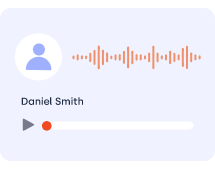
Voice Memos
Quickly record and share audio/voice messages. Ideal for field workers that maybe multitasking.

Image Sharing
Share images and capture new photos directly within chats in the field. View and download within the chats gallery.
@mentions
Want to draw extra attention to someone in a group chat? Mention Team Members within chats with @.

Pin What’s Important
Ensure your most important chats and contacts always appear at the top of the list.

Emoji Reactions
Give messages a 👍 with message reactions for fast and fun communication.

Privacy At Heart
No need to share mobile numbers or ask around for contact details for faster onboarding and better privacy.
Apps & Web
Get super-fast notifications on iOS or Android + access from the web browser

Low IT Costs
Secure and scalable cloud based solution with apps across all major stores.
Give SMS a rest
SMS has had its day! It is now home to login confirmation PINs, missed call notifications, and messages from relatives not on social media. Team chats belong in their own APP with configurable notification settings that support a healthy work life balance. Cut down those SMS sending fees if you’re still paying them and make the jump to smarter messaging with push notifications.




More About Team Messaging
Team messaging permission defaults
Can I change the notification settings?
Can I message external (non-team) contacts?
How long are messages retained?
What if a Team Member doesn’t have Tommy installed?
Effortlessly Beautiful
Keep on brand by customising background images, icons, styling as well as day and night mode options.
Custom Permissions
Highly customised user groups with adjusted permissions based on schedule / time clocking status.
Real-time Collaboration
Work with your team in real time just as you would communicate with your family on Facebook.
Custom Mini Programs
Need something highly specific for your team? Build your own Mini Programs that run within your Team only or offer to others via marketplace.
Connect and Engage
Share and discuss announcements, photos, documents and more via your News Feed with optional “Read/Done confirmation”.
Employee Import
Kick start your on-boarding time to value by quickly importing your team members from excel template.
Enterprise Mobility Management
Bring Your Own Device (BYOD) comes with risks. Tommy is working on Remote Wipe and other EMM tools to minimise your risks.
Accessibility
Tommy by default is in line with WCAG standards making it accessible and easy on the eye.
Skills Tracking
Always have the correct Skills available on shift. Tag employees with Skills and mark shifts with skill requirements.

Get started
Try Tommy for 14 days no credit card required